
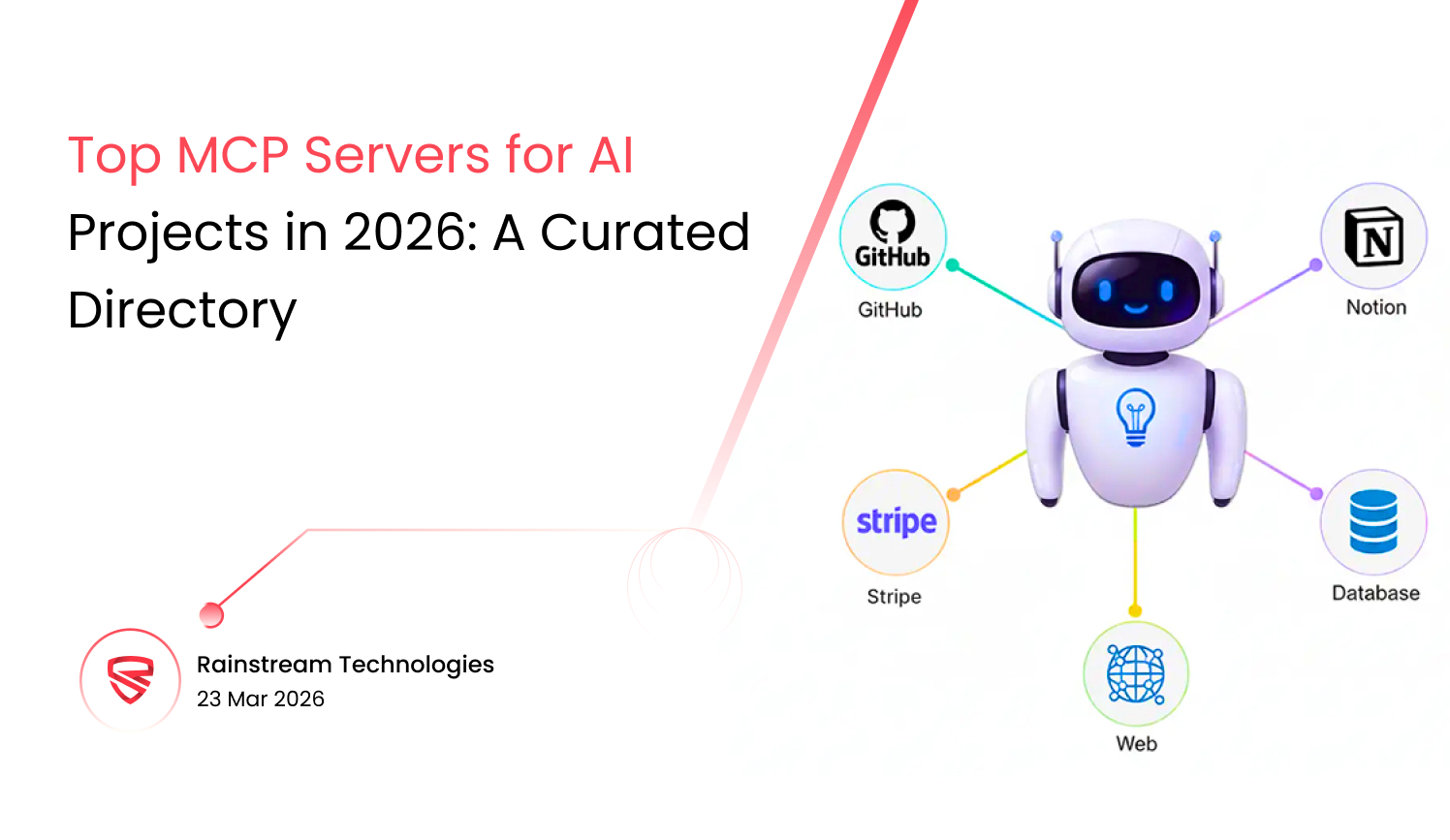



Quick Summary:
A handpicked list of the most practical MCP servers to build, connect, and scale real AI agents faster in 2026. Cuts through the noise to show tools that actually work in production not just hype. MCP servers allow your AI model a single way to use real tools. You don’t have to write bespoke connection code every time you add something new to your stack.
Introduction
A developer I worked with spent most of a Thursday making a link between an AI agent and an internal HR system. The whole thing, from scratch, including custom code and hand-rolled schema mapping. Two days later, the HR vendor sent an update. The connector broke. That Friday, he fixed something he had previously built once that week.
That kind of labor used to be just part of doing business with AI. It doesn’t have to be now. MCP revolutionized how connections operate, and by 2026, most teams that make true AI products will have either switched to it or be in the process of replacing the proprietary connectors they established without it. This tutorial tells you about the servers you should pay attention to, what makes each one different, and what you should think about before making a pick.
What do MCP servers do?
Model Context Protocol is a public standard that tells AI models how to talk to other systems. Databases, APIs, file systems, and services that are only available to the company. That standard is carried on the tool side by an MCP server. Through the protocol, your model makes a request. The server gets it, talks to the system it’s in front of, and provides back something the model can use.
Before MCP, each integration had its own build. Different format, different way of managing errors, and different way of authenticating. Five integrations meant five distinct things to keep up with. MCP makes sure that everything has a shared contract. No matter what is on the other end, the model sends the same kind of request. The server does the translation. That constancy is what makes the whole thing worth expanding on.
Why MCP Is Hot in AI (2026)
A few things happened at the same moment. LangGraph, AutoGen, and CrewAI are examples of agent frameworks that went from being research projects to things that teams used in real life. Businesses stopped seeing AI demos as wins and started asking about uptime, audit trails, and authentication. The MCP spec itself became reliable enough to trust. It had streaming capability, good auth handling, and a real registry of pre-built servers that people were actively using.
Because of all that, interest in model context protocol services rose quickly. Instead than trying to wire it in later, startups built products on top of it. In bigger companies, the question changed from whether to use MCP to which server to standardize on. That’s where the talk is in 2026.
What is really different between MCP, APIs, and RAG?
| Size | API in the past | The RAG Pipeline | MCP Server |
|---|---|---|---|
| Main purpose | Sharing data | Getting information back | Using tools and dealing with situations |
| Built in AI | No | Partially | Yes |
| Shared rules | No, according to the vendor | No | Yes, the MCP standard |
| Can agents do things through it? | Only with special wiring | Just read | Read, write, and run |
| Cost to switch later | High, typically a complete rewriting | Medium | Low, and usually able to be changed |
RAG is the best choice when you need to search information, pull up the relevant document, or get the right piece of context. APIs are great for straightforward data calls between two points when you know exactly what you want. When the agent needs to do something, not merely find stuff up, they require MCP. They touch at the edges, but they are working on different issues.
The best MCP servers right now
There are a multitude of different ways to use MCP. A lot of them are GitHub repositories with a solid README and not much else holding them together. The ones below are used for real, have teams that work on them, and run real workloads. That is the only bar that matters here.
| Server | Best For | Free Software | Cost | Growing Up |
|---|---|---|---|---|
| Anthropic MCP Reference | Starting with the spec | Yes | No charge | Steady |
| MCP for Zapier | Quick SaaS automation | No | Free to use | Stable |
| MCP Toolhouse | Tools for developers | Partly | Based on use | Growing |
| Composio MCP | Stacks of Python | Yes | Free plus | Getting bigger |
| MCP for Custom Businesses | Systems that are internal or regulated | N/A | Based on projects | Personal |
Breakdown by Server
1. Anthropic MCP Reference Server
Written by the same group that wrote the spec. This is the one you should check if anything doesn’t work well and you need to know if it’s your code or the server. The answer is usually always your code. It is the most accurate implementation of the protocol, which makes it the best base for custom builds.
Key Features: The core team supports and maintains full spec coverage, TypeScript and Python SDKs, tools, resources, and prompts.
Best Use Case: Developer teams that want to know exactly how the protocol works before adding abstraction layers, or who require a clean base for building a custom integration.
Pros
 Works precisely as the spec says it should
- The documentation covers the edge cases.
- Free, with no limitations, and licensed by MIT
Cons
- No connectors are supplied in the box
- Your team builds the code that connects everything.
Price: Free and open source (MIT)
2. The Zapier MCP Server
This makes a lot of sense if your team already uses Zapier. AI agents can now use your existing automations as tools without changing the Zap logic that powers them. This isn’t the most technical choice, but for teams that do a lot of operations and need things to work before the sprint finishes, it’s hard to beat on speed.
Key Features: More than 6,000 built-in app connectors, OAuth handled at the platform level, tool descriptions in plain English, and triggers that happen in real time.
Best Use Case: Business teams and startups who do a lot of operations and need agents that can update calendars, send Slack messages, and work with CRMs without a big integration effort.
Pros
- There is already a huge integration library
- No setup effort is needed for auth.
- By the end of the day, something will work
Cons
- Prices go up as the number of calls goes up
- Not much visibility into what goes below
Prices: There is a free tier, and paid plans start at about $20 per month.
3. Composio MCP
Composio became popular because it solved the element of development that developers hate the most: authentication. OAuth flows, token rotation, and API key storage are all taken care of at the platform level before you even touch your own code. The MCP layer fits perfectly on top of that base. This is where Python teams go when they need agents in production quickly.
Key Features: More than 150 pre-built connectors with authentication, native SDKs for LangChain and LangGraph, an open-source core, and managed OAuth for key providers.
Best for: Python development teams who need to get agent projects into production quickly and don’t want authentication to slow down the sprint.
Pros
- Auth works without having to fight it
- Works well with a lot of frameworks
- A community that is active and gives actual answers
Cons
- You can’t see the prices for businesses, so be ready for a sales call.
- Rate restrictions can show up at bigger volumes without much notice.
Pricing: Free for individuals; business pricing available on request
Check out our Portfolio: Our Work
MCP Automation in Logistics: A Real-World Example
EXAMPLE below
A logistics company in the area was wasting 14 hours of staff time every week on handling shipment exceptions. People were transferring order numbers from one tab to another, pasting tracking updates into emails, and manually moving things that looked stuck up the list. The first idea was to use a RAG pipeline across the database of incident history. Looks good on paper.
Three weeks into the build, the project came to a halt. The AI was doing a good job of finding exceptions. But it couldn’t do anything with them. It would show a blocked cargo and then halt, waiting for a person to do the next thing. That’s not much better than a search option that works a little better.
The team rebuilt the system around an MCP automation architecture. There was one bespoke server that linked the transport management system, the ERP, and three carrier APIs. From that point on, the agent could get live shipment data, issue reroute requests using the carrier API, and provide prepared updates to the operations Slack channel without anyone having to be there for everyday cases. It took six weeks to finish the whole structure. Hours saved each week: 11. The Automation and Integration Services layer made the project more than just a read-only helper; it became something that the ops team used every day.
Where MCP Servers Really Matter
MCP Servers for AI Bots
Most of the time, agents fail because their logic isn’t good. They are about the model not being able to do whatever it says it will do. It can only plan well and then stop because it can’t do anything outside of its own context. MCP fixes the side that runs the program. Agents can use a stable interface to call utilities, like running a script, sending an email, or querying a database. The interface stays the same, thus changing or upgrading the model underlying doesn’t break the tool layer.
MCP for Workflows That Run Automatically
When a UI changes, traditional RPA stops working. When a button moves a few pixels, screen-based automations stop working. At the API level, MCP Automation Services work underneath the interface layer. In real life, they last far longer. If you combine a language model with a good MCP server, you can obtain automation that can figure things out that strict rules would not be able to.
MCP for New SaaS Businesses
You can’t build the product itself if you’re spending a week on special integration work. For new businesses who rely on AI to ship their products, that trade-off is more important than it is for anybody else. Choosing the right MCP server early on can cut weeks of integration work down to days. Send out something that users can respond to, and then correct what needs to be fixed.
MCP for Business Systems
Most of the time, off-the-shelf servers don’t meet business security needs without a lot of extra work. Access restrictions, per-request audit logs, schema validation, and single sign-on are all required in regulated businesses. A model context protocol development business that has built specialized servers for banking or healthcare companies and passed security evaluations will spare you months of back-and-forth with your own security team.
What MCP Servers Really Do
The Basics
The model can see three things on every MCP server. Functions that the agent can call, such get_order_status or create_ticket, are called tools. Resources are pieces of information that the model can read without causing any action to happen. Prompts are templates for instructions that can be used again and again for the same types of tasks. The model makes a JSON-RPC 2.0 request. The server processes it and sends back structured data. For anything operating remotely, transport is stdio locally or HTTP with Server-Sent Events.
How MCP Architecture Works in a Real AI System
There are three levels that function together in a production setup. The client is the agent framework. The protocol handshake is handled by an MCP client library. Then, each MCP server sits in front of a distinct backend. The agent calls a tool. It is handled by the proper server. The agent gets an answer. It doesn’t care or know if that comes from Salesforce or an internal API that was established six years ago. The isolation is what keeps the architecture working over time.
How to Get an Integration Up and Running
Using a reference SDK, you can get a basic server up and operating in less than half an hour. Define tools using JSON schemas, build the handler methods, register the server with your framework, and then test it. It takes longer to get it ready for manufacturing. You need the right authentication middleware, rate restriction, and error handling that gives you relevant information instead of just raw stack traces. The model context protocol services ecosystem provides beginning templates for the main stacks that make setting things up a lot faster.
How to Choose the Best MCP Server
| Part | What to Look For |
|---|---|
| Scalability | Five agents calling one server at the same time is just a normal Tuesday, not a stress test. Before you discover it the hard way, check how the server handles multiple requests at once. |
| Delay | One slow tool call is okay. It’s a different thing when four of them are connected together in a loop. Test the real call latency early on in a setup that is similar to your production environment. |
| Price | At demo volume, usage-based pricing always seems easy to handle. Before you commit to anything, do the math at 10 times your current consumption. |
| Authentication and Security | OAuth, access based on roles, and audit logging. Check to see whether these are already there or if your team needs to add them later. |
| Fit with the Stack | A native SDK for your real stack is worth more than a server that requires heavy customization or wrappers to integrate. |
| Framework | Greater features that need a wrapper to run with your framework can slow you down. Prefer solutions that work natively with your stack. |
| Health of the Community | Look at the date of the last commit. See how long problems stay open. Check how the maintainers react. These items tell you more than the list of features does. |
Mistakes That Keep Happening
- Picking a server based on how many features are listed in the docs instead of how well it works in real life
- Not doing latency tests until the agent is already built around a server that can’t keep up
- Putting off authentication until after the launch, because adding it later always takes longer than planning it from the start
- Setting up a complicated multi-server architecture before the first use case is tested
- Using a high star count on GitHub as verification that someone is still working on the project
What Will Happen Next for MCP
MCP and Self-Driving Agents
The skills of agents keep getting better. Planning horizons are increasing longer, and it’s becoming easier to carry out plans in multiple steps. As this happens, the bottleneck moves to the execution layer, and MCP is filling that gap. Several businesses are working on specialized servers that can run sandboxed code, control live browsers, and handle regulated financial transactions. By the end of 2026, these will be typical parts of major agent stacks.
The Automated Side
MCP Automation stopped being a topic of conversation only among early users around the middle of 2025. It is increasingly showing up in CI/CD pipelines, customer service systems, back-office document processing, and internal IT procedures. Automation and Integration services became a real field of expertise since there was so much demand for them. Three years ago, there was no such thing as an MCP infrastructure position. Now, companies are recruiting people expressly for this type of work.
What Will Happen to the Infrastructure Next
The long-term picture is very similar to what happened with TCP/IP. People use the protocol without thinking about it, and it soon becomes background infrastructure. Server discovery registries, the ability to combine servers into bigger processes, and commercial marketplaces for viewing and subscribing to MCP servers are all either in the works or have already been released in early versions. Teams who figure out their MCP foundation now will have to do less effort on it later.
What to Do Next
In 2026, teams who make substantial AI products have mostly ceased arguing about whether or not to employ MCP. They are choosing a server and starting with one use case before moving on. The longer the integration layer stays as a bunch of bespoke code, the more effort it takes to keep it up to date instead of constructing it. Choose one server and one use case, and then put it into production. The second time you integrate, it always goes faster than the first time.
It’s okay if you’re not sure which server is best for your setup. The choices are genuine, and they work for various teams in different ways. Getting the foundation right now is better than making a quick choice that you’ll have to change in six months.
Talk to Someone Who Has Done This Before: Rainstream Technologies
Not sure which MCP server is right for your setup? Have you already wasted time on the incorrect one? We have been in both situations and know how to fix them. We start from scratch to construct MCP automation services that are ready for production. We take care of the architecture, integration, deployment, and continuous maintenance. Our team has worked on developing model context protocol development in logistics, healthcare, financial, and SaaS settings. If your team wants full-stack Automation and Integration Services but doesn’t want to spend months getting up to speed, get in touch and let us know what you’re working on. Schedule a Free Architecture Consultation
Frequently Asked Questions
Q1. What does an MCP server do?
A. The Model Context Protocol is put into action on the tool side of an AI integration by this program. Your model makes a request. The server takes it, executes it against whatever system it is linked to, such a database, a third-party API, or an internal service, and sends back a structured result. Your agent can connect to a lot of different systems without needing a bespoke connector for each one because all MCP servers utilize the same protocol.
Q2. Are MCP servers better than APIs?
A. The comparison isn't completely right because they are made for distinct jobs. APIs are tools for exchanging data that can be used for many things. MCP servers are made just for AI model interactions. They take care of context management, show functionality in a way that models can comprehend, and allow for the multi-step call patterns that agent workflows really need. When working with AI, it's nearly always easier to go through MCP than to use raw APIs directly.
Q3. Do I need MCP to use AI agents?
A. You don't have to utilize it. Before MCP, teams made agents that worked. But when you have more than two or three connections going on, the lack of a common interface starts to look like genuine continuous maintenance labor. Different schemas, error formats, and authentication methods are all piling up. MCP gets rid of the extra work. Most teams only grasp for it after they have felt that anguish once.
Q4. What is the best MCP server for people who are just starting out?
A. Composio is a good choice if you're working with Python and want to connect to real services without having to deal with authentication first. It takes care of the hard parts so you can focus on what the agent does. If you wish to study the protocol from the ground up before adding anything more, use Anthropic's reference server. Both include honest documentation and communities where you may ask questions and get answers from individuals who have used them.
Q5. Can MCP servers handle real-time workflows?
A. Yes, but it depends on how they’re set up. MCP servers can support near real-time interactions, especially when paired with caching and efficient APIs. However, true real-time performance also relies on your backend systems, network latency, and how optimized your tool chain is.
Q6. Is MCP secure for handling sensitive data?
A. It can be, if implemented properly. MCP itself doesn’t enforce security it depends on how the server is built. Using OAuth, role-based access, encrypted communication, and audit logs ensures your AI agents interact safely with sensitive systems.
Prefer Rainstream ?
 Add to Preferred Sources
 Contact Us